Introduction
Image to render AI is changing how creators transform reference images into realistic AI-generated renders using artificial intelligence. Instead of starting from scratch, designers can now use an existing image as input and let AI enhance lighting, materials, and spatial depth to produce professional visual results.
One of the most practical use cases of image to render AI is in community building and real estate development. When planning a new residential community, developers often rely on early-stage visuals to communicate design intent to stakeholders, investors, and future residents. However, traditional rendering workflows are time-consuming and expensive, especially when multiple design iterations are required. Image to render AI allows teams to quickly convert concept images, sketches, or massing visuals into realistic renders that better represent the final environment.Tools like ReRender AI demonstrate how image to render AI can streamline this process. By using a reference image as a starting point, ReRender AI helps architects and designers generate visually consistent, photorealistic renders suitable for presentations, marketing materials, and online listings. This approach not only accelerates design communication but also makes high-quality rendering more accessible for community-focused projects where speed, clarity, and cost efficiency matter.
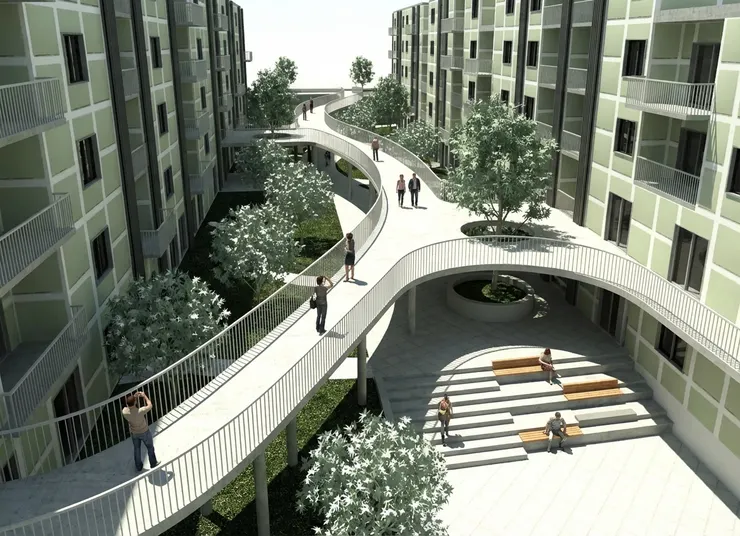
image to render AI input model for community building design
What Is Image to Render AI?
Image to render AI refers to an artificial intelligence approach that converts an existing image into a more realistic, high-quality render by enhancing visual elements such as lighting, materials, textures, and spatial depth. Instead of generating images from text prompts alone, image to render AI uses a reference image as the foundation, preserving the original composition while improving realism and visual clarity.
This method is commonly used in architecture, interior design, product visualization, and real estate, where accurate visual representation is critical. By starting from a sketch, photo, or basic 3D snapshot, image to render AI helps designers quickly produce render-like visuals without relying on complex manual rendering workflows or long production cycles.
Compared to traditional rendering techniques, image to render AI focuses on speed, accessibility, and iteration. Designers can experiment with different styles, materials, or lighting conditions using the same base image, making it especially useful for early-stage design exploration and client communication.
How Image to Render AI Works
Image to render AI works by analyzing a reference image and enhancing it through AI-driven visual processes. Instead of rebuilding a scene from scratch, the system preserves the original composition while improving realism, lighting, and material quality.
Step 1: Image Input and Visual Analysis
The process begins with a reference image, such as a sketch, photo, or basic 3D snapshot. The AI analyzes the image to understand composition, geometry, spatial relationships, and overall visual context.

SketchUp model used as image input for image to render AI workflow
Step 2: Material and Lighting Enhancement
Based on learned visual patterns, the AI enhances surface materials, textures, shadows, and lighting. This step helps transform flat or low-detail images into more realistic, render-like visuals.
Step 3: Render Refinement and Output
In the final stage, the AI refines details such as depth, reflections, and color balance. The result is a high-quality AI-generated render that can be used for design reviews, presentations, marketing materials, or early-stage visualization.
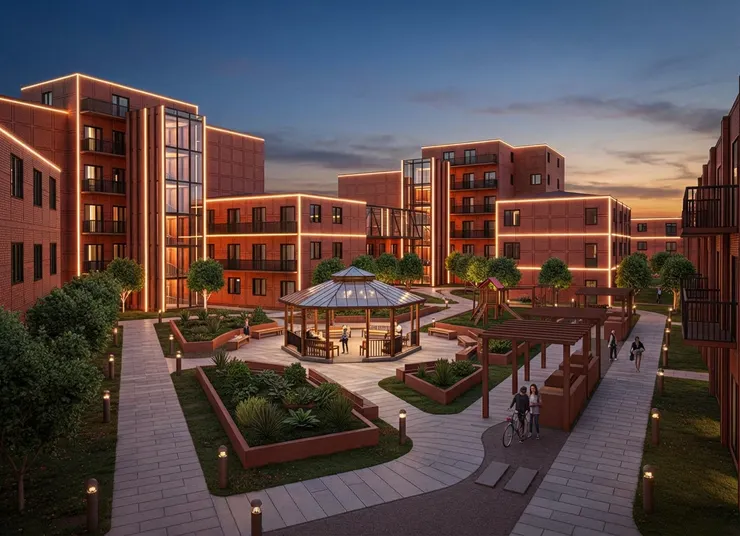
AI-generated render created using image to render AI workflow
Community Building Use Case: From Concept to AI Renders
In community building projects, image to render AI enables design teams to quickly transform early-stage concepts into realistic visual representations. By combining simplified 3D models and reference images, teams can communicate design intent more clearly and reduce the time required for traditional rendering workflows. This approach is especially useful during planning and approval stages, where speed, clarity, and visual consistency are critical.
Step 1: Uploading the SketchUp Model
The process starts by uploading a simplified SketchUp model that represents the overall layout and structure of the community design. This model defines scale, massing, and spatial relationships, allowing image to render AI to understand the core geometry before generating visual enhancements. Using a clean and well-organized model helps ensure more accurate

ReRender
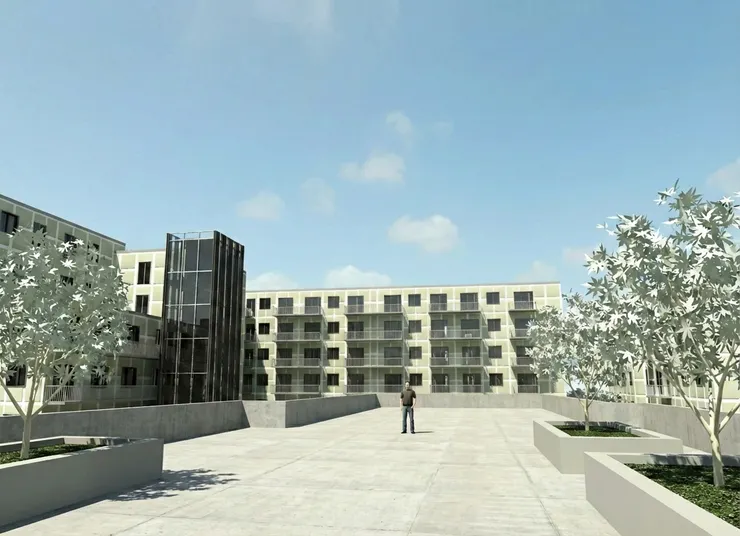
SketchUp community model uploaded for image to render AI processing
Step 2: Uploading the Reference Photos
After the SketchUp model is uploaded, reference photos are added to guide the visual style of the final render. These images may include material samples, lighting references, landscaping examples, or mood images that represent the desired atmosphere. By providing clear visual references, image to render AI can better interpret textures, colors, and environmental context, resulting in AI-generated renders that more closely match the intended design vision.

ReRender
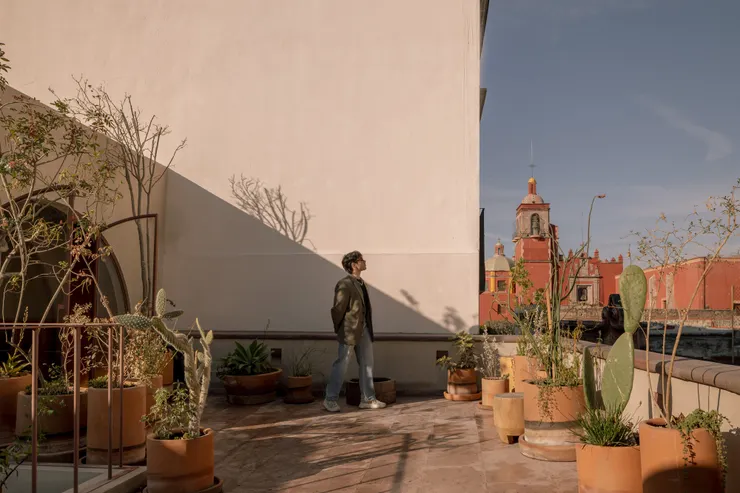
Step 3: Generating AI Renders
Once the 3D model and reference photos are in place, the AI generates realistic renders by enhancing lighting, materials, depth, and overall visual quality. Image to render AI preserves the original design structure while applying visual refinements that create a polished, render-like result. These AI-generated renders can be quickly iterated and adjusted, making them ideal for design reviews, stakeholder presentations, and early-stage marketing in community building projects.
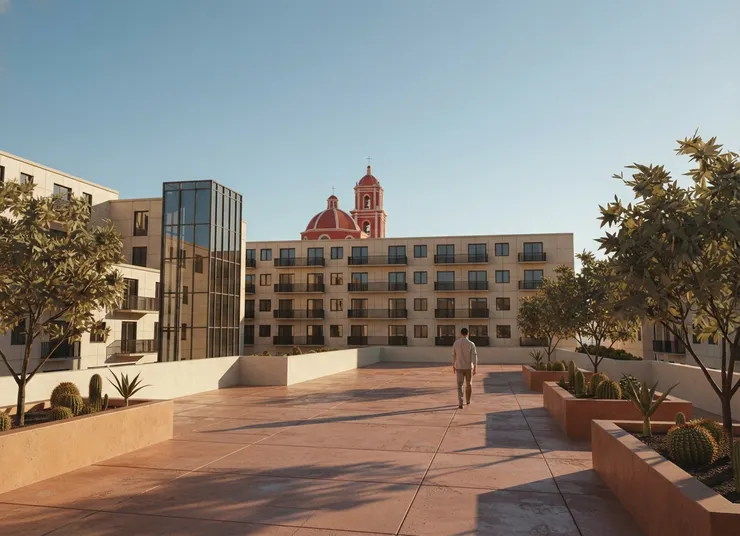
image to render AI result for community building visualization
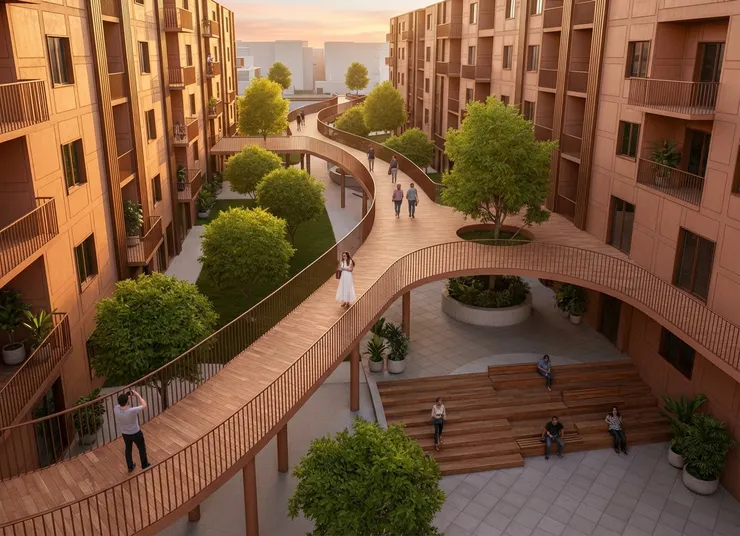
realistic AI-generated render produced from image to render AI
Conclusion
Image to render AI provides an efficient way to transform early-stage images into realistic visual representations without relying on traditional rendering workflows. By combining existing models and reference photos, teams can generate high-quality AI renders faster and with greater flexibility. For community building projects, this approach improves design communication, supports rapid iteration, and reduces visualization costs during planning and approval stages.
FAQ
What is image to render AI used for?
Image to render AI is used to transform existing images, sketches, or 3D models into realistic renders. It is commonly applied in architecture, interior design, real estate, and community building projects to improve visual communication during early design stages.
How is image to render AI different from text-to-image AI?
Unlike text-to-image AI, image to render AI relies on a reference image as input. This allows the AI to preserve the original composition and structure while enhancing realism, lighting, and materials, making it more suitable for design and visualization workflows.
Can image to render AI replace traditional rendering?
Image to render AI does not fully replace traditional rendering but significantly reduces time and cost during early-stage design and iteration. It is especially effective for concept development, presentations, and approvals before final production renders are created.
Image to render AI: http://rerenderai.com/