Introduction
In interior design and architecture, “Render AI software” commonly refers to AI-assisted rendering workflows that help designers visualize spaces faster and with less technical complexity. Rather than being a single product, Render AI describes a category of AI-driven tools used to generate realistic interior and architectural visuals for concept development and client presentations.
This review examines the core features and use cases typically associated with Render AI software in professional design workflows. It also looks at how modern AI rendering solutions, such as ReRender AI, are applied in real-world interior design and architectural projects to streamline visualization, improve iteration speed, and support creative decision-making.For interior designers and architects, understanding how Render AI software works in practice is increasingly important. By exploring real results from AI-powered solutions like ReRender AI, this article highlights how Render AI approaches fit into contemporary design processes, as well as their advantages and limitations compared to traditional rendering methods.
ReRender
What Is Render AI Software in Interior Design and Architecture?
Render AI software in interior design and architecture refers to AI-assisted visualization tools that help designers transform concepts, sketches, or reference images into realistic spatial renderings. By leveraging artificial intelligence, these solutions reduce the need for complex manual setup in traditional rendering pipelines and allow faster exploration of layouts, materials, lighting, and overall atmosphere during early design stages and client presentations.
ReRender
Key Features of Render AI Software
Key features of Render AI software typically include AI-driven image generation, rapid visual iteration, and reduced dependency on complex rendering settings. In interior design and architectural workflows, these features allow designers to explore different styles, materials, and lighting conditions more efficiently. As a practical solution within this category, ReRender AI demonstrates how Render AI software can be applied to real projects by enabling designers to generate interior and architectural visuals quickly while maintaining creative control and consistency across design iterations.

ReRender
ReRender AI as a Practical Render AI Solution: A Public Architecture Example
To better understand how Render AI software works in real projects, this section uses ReRender AI as a practical solution applied to a public architecture project inspired by ArchDaily’s landscape architecture category. The focus is on how AI-assisted rendering supports early visualization and design communication rather than final production renders.
Step 1: Uploading the SketchUp Model
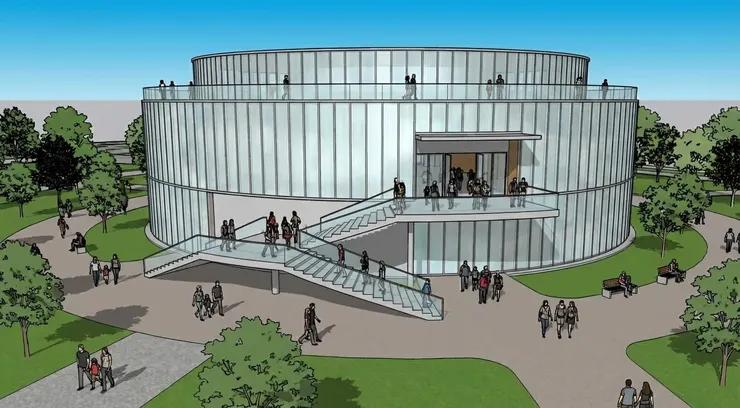
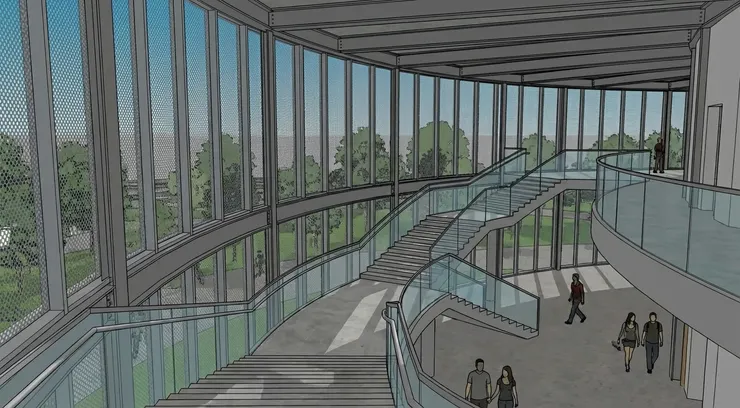
The workflow begins by uploading a SketchUp model of a public building and its surrounding landscape into ReRender AI. At this stage, the model primarily serves as a spatial reference, allowing the AI rendering system to understand massing, scale, and spatial relationships. This step enables designers to quickly move from basic geometry to visual exploration without extensive manual setup, making it especially suitable for early-stage architectural and landscape design studies.

ReRender

Step 2: Uploading the Reference Photos
After uploading the SketchUp model, the next step involves adding reference photos that represent the desired architectural and landscape style. In this case, images from ArchDaily’s landscape architecture and public building projects are used to guide the AI’s visual interpretation. These reference photos help ReRender AI understand material qualities, spatial atmosphere, and design intent, allowing the Render AI workflow to produce visuals that align more closely with contemporary architectural language rather than generic AI-generated results.

ReRender
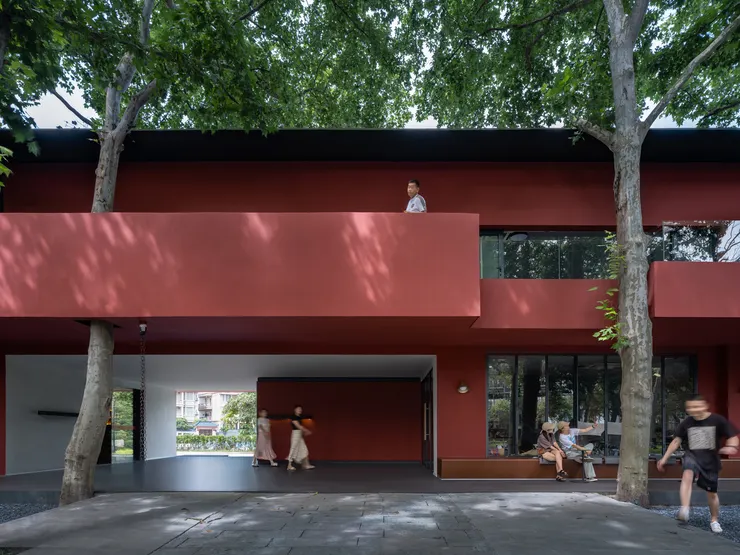
Step 3: Rendering and Evaluating the Results
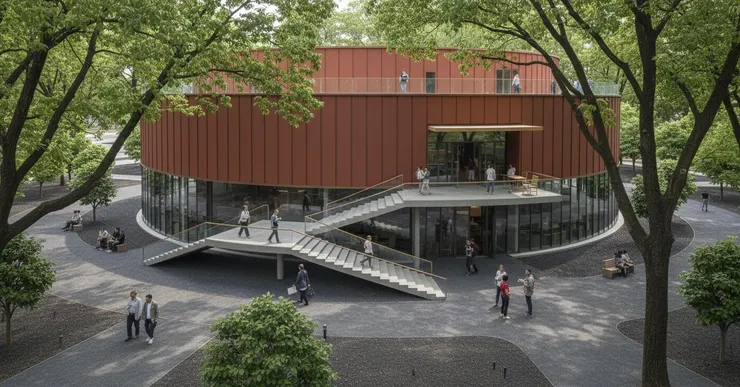
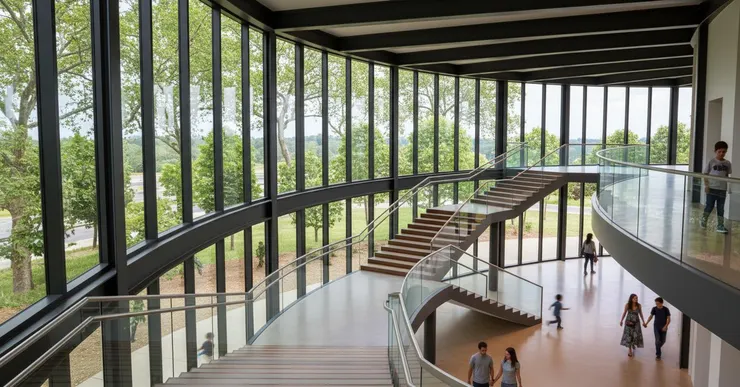
Once the model and reference photos are in place, ReRender AI generates the rendered visuals based on the provided spatial data and design references. At this stage, the Render AI workflow produces multiple variations that reflect different interpretations of materials, lighting, and landscape context. Designers can quickly evaluate these results, compare visual directions, and identify which renderings best support the architectural concept and public space narrative before moving into further refinement or client presentation.
Conclusion
This review shows that Render AI software offers meaningful value for interior design and architectural workflows by improving visualization speed, flexibility, and early design communication. Through real use cases, AI-assisted solutions such as ReRender AI demonstrate how Render AI software can help designers and architects explore ideas, evaluate design directions, and present concepts more effectively. While not a replacement for traditional rendering in every scenario, Render AI software provides a practical and accessible approach that supports creative decision-making and helps professionals work more efficiently.
Render AI software: https://rerenderai.com/